
Wedding day operations
Wedding Day Assistant vs. Wedding Planning App: What EventSync Actually Does on the Wedding Day
A wedding planning app helps you prepare. A wedding day operating system helps the plan survive contact with the actual day.
That distinction matters. A couple can have a checklist, a guest list, a vendor list, and a timeline, and still feel the day start to drift because the right information is not reaching the right person at the right time.
As a photographer, I see that drift from the middle of the room. A ceremony starts late, portraits get squeezed, catering waits on timing, the DJ is holding the next cue, the venue team is watching the flip, and the couple is suddenly being asked to make operational decisions while they are supposed to be present.

The moment I built the Wedding Day Assistant for
There is a moment I have witnessed at more weddings than I can count. It is usually late afternoon, when the light has gone soft and golden and someone finally says it: “We’re 15 minutes behind. What do we cut?”
Then everyone looks at everyone else. Dinner has a service time. The band has an end time. The sun sets when it sets. And the two people who should be inside the best day of their lives are suddenly doing frantic timeline math in a hallway. I built EventSync because I kept standing in that hallway.
The Wedding Day Assistant is meant to give the person holding the day a calm, event-aware second opinion. It does not grab the wheel. It shows the tradeoffs, protects the moments that should not move, and hands the decision back to the human in charge.
A planning app is not enough once the wedding starts moving
Planning tools are important. You need budget tracking, guests, vendors, timeline blocks, checklists, and a way to prepare the day. But once the wedding starts, the question changes from “what did we plan?” to “what is happening now, who needs to know, and what happens next?”
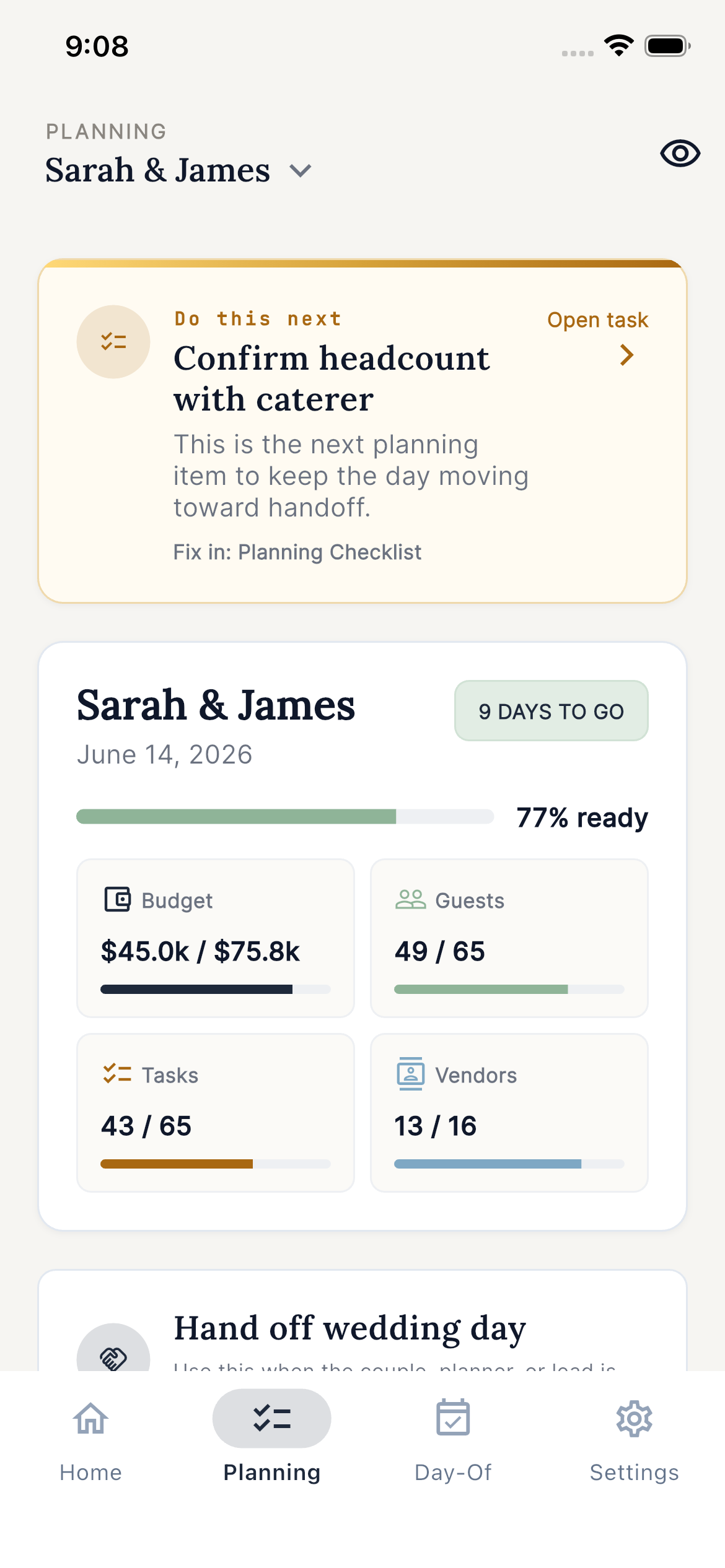
That is why EventSync separates the phases cleanly: planning lives in the web Workspace, and the mobile app becomes Day-Of Command when the wedding starts moving. The same event, roles, timeline, and handoffs stay connected across both.
| Planning app problem | Wedding day operating need |
|---|---|
| A static timeline looks finished until the first delay. | A current timeline needs to show now, next, risk, ownership, and recovery options. |
| A vendor list stores contacts separately from the schedule. | Vendor contacts need to connect to arrival windows, timeline blocks, room flips, and service moments. |
| Every role receives the same PDF or group text. | Each role needs a scoped handoff: photographer, DJ/MC, caterer, venue, vendor, couple, guest. |
| The couple becomes the question desk. | The planner, team lead, or assigned point person needs Day-Of Command. |
Where the Wedding Day Assistant fits
The public name is Wedding Day Assistant. That is intentional. It is presented as a practical day-of assistant, not as a chatbot pretending to run a wedding.
Ask it in plain language: “We’re running 15 minutes behind—what should move?” Because it reads the current event context, it can explain what the delay affects and suggest a grounded recovery instead of giving generic wedding advice.
It can propose a balanced option, a buffer-first option, or a manual path when the planner wants to choose each adjustment. In the web Workspace, it can also handle simple requests such as “go to guest list” while respecting the sections that role is allowed to see.
The key rule is simple: the assistant suggests; the planner or team lead approves. EventSync does not silently rewrite the wedding day. It shows what changed, what the recovery protects or trims, and what can happen next. Nothing becomes team-visible until a human approves it.
Not ready to use a full planning system? Start with EventSync’s free wedding-day tools: a Timeline Builder, Recovery Card, and Budget Worksheet.

Recommended wedding day tool
See EventSync before you download it
Tap through a fictional wedding with the live Day-Of cockpit, the Wedding Day Assistant review flow, role packets, and a SmartRipple recovery that never applies itself.
SmartRipple is recovery with review, not autopilot
SmartRipple handles one of the most common wedding-day realities: a timing change does not affect one block. It ripples.
If the ceremony runs twelve minutes late, the problem is not only the ceremony. It may affect family portraits, cocktail hour, room flip, dinner service, speeches, dances, vendor meals, transportation, and photography coverage. A paper timeline cannot show that impact fast enough.
SmartRipple shows the downstream effect and suggests where time can be recovered while protecting moments that should not be sacrificed. A planner might trim a buffer, tighten a transition, or preserve portraits while shifting a lower-risk block. The planner reviews the recovery before applying it.
Role-specific handoffs are the product advantage
A wedding team does not need one giant document. It needs the right information in the right hands.
Photographer
Shot list, must-have photos, current and next photo moments, family groups, portrait timing, first look notes, location details, and timing risks.
DJ/MC
Entrances, announcements, speeches, dances, cue order, reception sequence, and the current timing without private planner notes.
Caterer
Meal counts, dietary aggregates, table-by-table notes, vendor meals, service timing, room flip context, and kitchen/service notes.
Venue coordinator
Setup timing, vendor arrivals, access notes, weather backup, floor-plan timing, load-in/load-out, and room flip status.
The couple, family, wedding party, and guests need a calmer version: where to be, what is next, and what applies to them. They should not receive private planner warnings, unrelated vendor logistics, or setup gaps that only make the day feel heavier.
Where this fits with the rest of wedding planning
EventSync works best when it connects to the things couples already need to prepare. A vendor contact sheet is stronger when it connects to the timeline. A day-of checklist is stronger when responsibilities are assigned. A wedding day communication plan is stronger when updates are scoped by role. And the reason wedding timelines slip is often that the handoff system was never built.
This also matters for photography. Proposal and engagement sessions are controlled. Full wedding days are live systems. The same care that goes into proposal photography, engagement photography, and full wedding coverage should extend into how the day is actually run.

What EventSync does not claim
- It does not replace a skilled planner, coordinator, venue manager, photographer, DJ, caterer, or family point person.
- It does not make unsupervised wedding-day decisions.
- It does not ask guests or vendors to pay.
- It does not need to expose private planner context to every role.
That restraint is part of the product. A wedding day assistant should make the day clearer, not louder.
Next steps
- Try the interactive EventSync product demo.
- Read the EventSync facts page for product positioning, pricing, and privacy boundaries.
- Download EventSync from the App Store or Google Play.
The point is not to make weddings feel technical. The point is to make the operational layer quiet enough that people can do their jobs and the couple can stay inside the day.